

Volvo FH16 Profiliner v 1.0.3.0

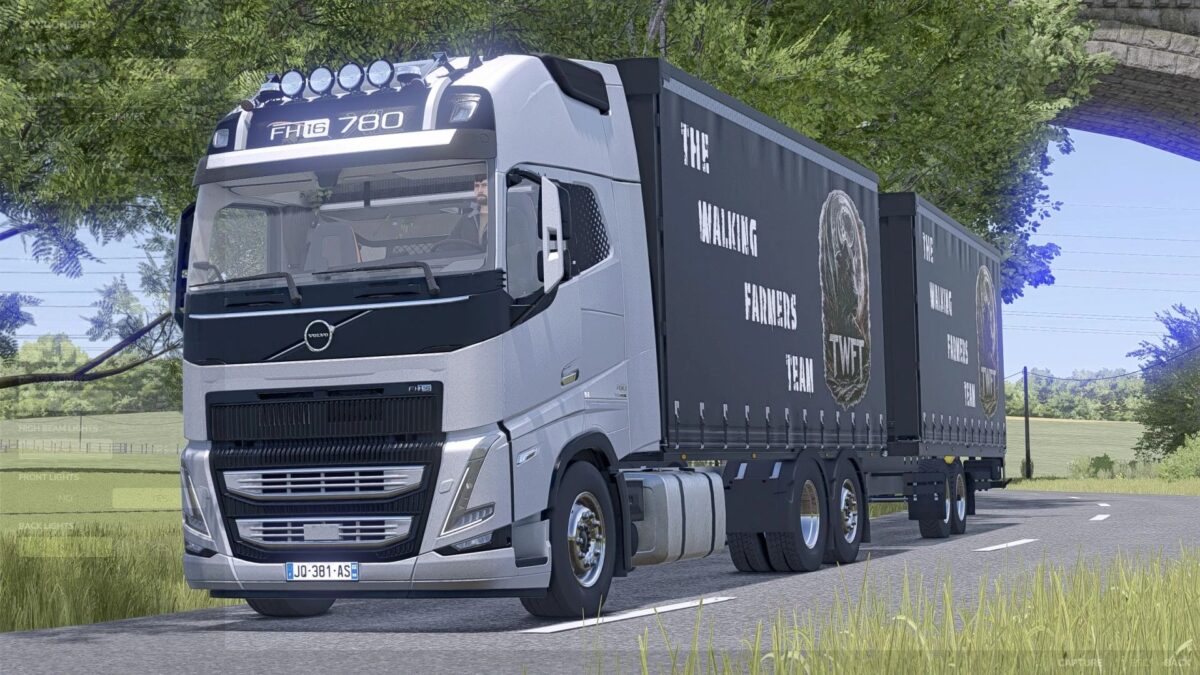
Volvo FH16 Profiliner v 1.0.3.0
The Volvo truck is the perfect choice for use in Farming Simulator, impressing with its powerful performance and modern design.
Combined with the appropriate trailer, it enables the efficient transport of large quantities of harvested crops and goods over long distances.
Thanks to its stable handling and realistic details, the combination provides an authentic gaming experience.
Ideal for anyone who values power, reliability, and style.
FH16 ProfiLiner Truck
Cost in standard configuration: €137,000
Configurations are standard for FH16
Can carry approximately 30 standard pallets
Multi-color
DPW ProfiLiner Trailer (Tandem)
Cost of the trailer: €20,500
Can also transport approximately 30 pallets
Multi-color
Forklift attachment
DPW ProfiLiner Trailer (Turntable)
Cost of the trailer: €20,500
Can also transport approximately 30 pallets
Multi-color
Forklift attachment
LiveStockTrailer body
Sheep: 12
Pigs: 16
Cows: 6
Horses 4
Chickens 88
Version 1.0.3.0:
* Logos changed
* LiveStock: Palfinger selection changed
* Combinations added