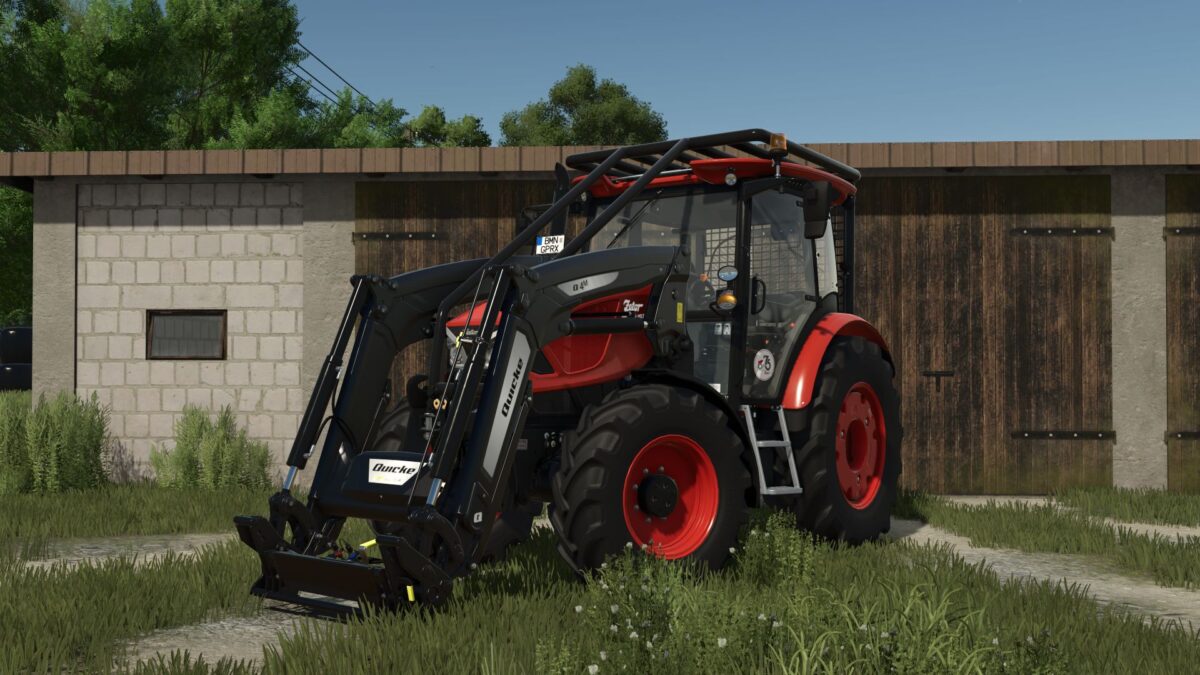
Zetor Proxima HS Forest v 1.0
This is a tractor that combines the legendary simplicity of the Zetor, modern technical solutions and specialized forestry equipment, making it one of the most durable machines in its class.
Zetor Proxima HS Forest is a response to the real needs of operators working in difficult terrain, where what counts is not only power, but above all, structural resistance, safety and reliability.
This model has been designed to meet extreme conditions from skidding wood, through working with a winch, to operating forest trailers and cranes.
Price: 60000
Power: 76 hp
Speed: 40 km/h
Agro Kamilos
How do I install Farming Simulator mods?
Find a mod that you like and want to download first. Then, on your PC, download a mod. Mods are typically in.zip format. However, it is sometimes in.rar format. If the mod file is in.zip format, no additional actions are required. If a file is in.rar format, you must unarchive it using software such as WinRar or Zip7. Windows 10 users do not need to use archive software; Win10 includes an unarchive feature.
The next step is to locate the mods folder on your computer. It is typically found in Documents/My Games/Farming Simulator [Your FS game version, e.g. 2022]. Open the "mods" folder and place the downloaded.zip archive or unarchived.rar file there.
The final step. Have fun with Farming Simulator mods!